Canva is a widely used online design platform that allows individuals and businesses to create professional graphics without advanced design skills. It provides an easy drag-and-drop editor along with thousands of templates for social media posts, presentations, posters, videos, logos, and more.
Launched in 2013, Canva has become one of the most popular design tools for content creators, marketers, students, and businesses. The platform simplifies design work by offering ready-made templates, stock assets, and AI-powered features that help users create high-quality visuals quickly.
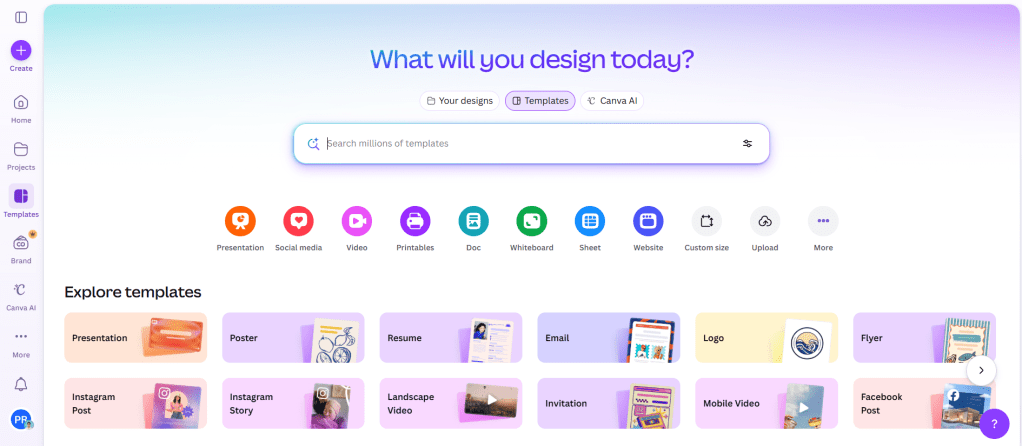
Key Features of Canva:
- Drag-and-Drop Design Editor
- Thousands of Ready-Made Templates
- Photo & Video Editing Tools
- AI Design Tools (Magic Design, Magic Write)
- Background Remover
- Brand Kit for Consistent Branding
- Collaboration & Team Editing
- Social Media Content Scheduler
- Stock Photos, Videos & Elements Library
- Presentation & Video Creation Tools
Pros of Canva:
- Very easy to use for beginners
- Huge template and design asset library
- Supports images, videos, presentations, and documents
- Collaboration tools for teams
- Works directly in the browser (no heavy software required)
- AI tools help speed up design creation
Cons of Canva:
- Some advanced features are only available in the paid plan.
- Limited customization compared to professional tools like Adobe
- Internet connection required for most features
- Premium templates and assets require a subscription
Canva Pricing Plans:
- Free Plan With limited Features.
- Premium Plan: $15 per Month.
- Business Plan: $20 per Month.
- Enterprise Plan: Customized Plan according to your businesses.
Tags:
Canva, a graphic design tool, online design platform, Canva templates, design software, social media design tool, marketing design tools, AI design tools



 AI Tools Directory
Leave a comment